
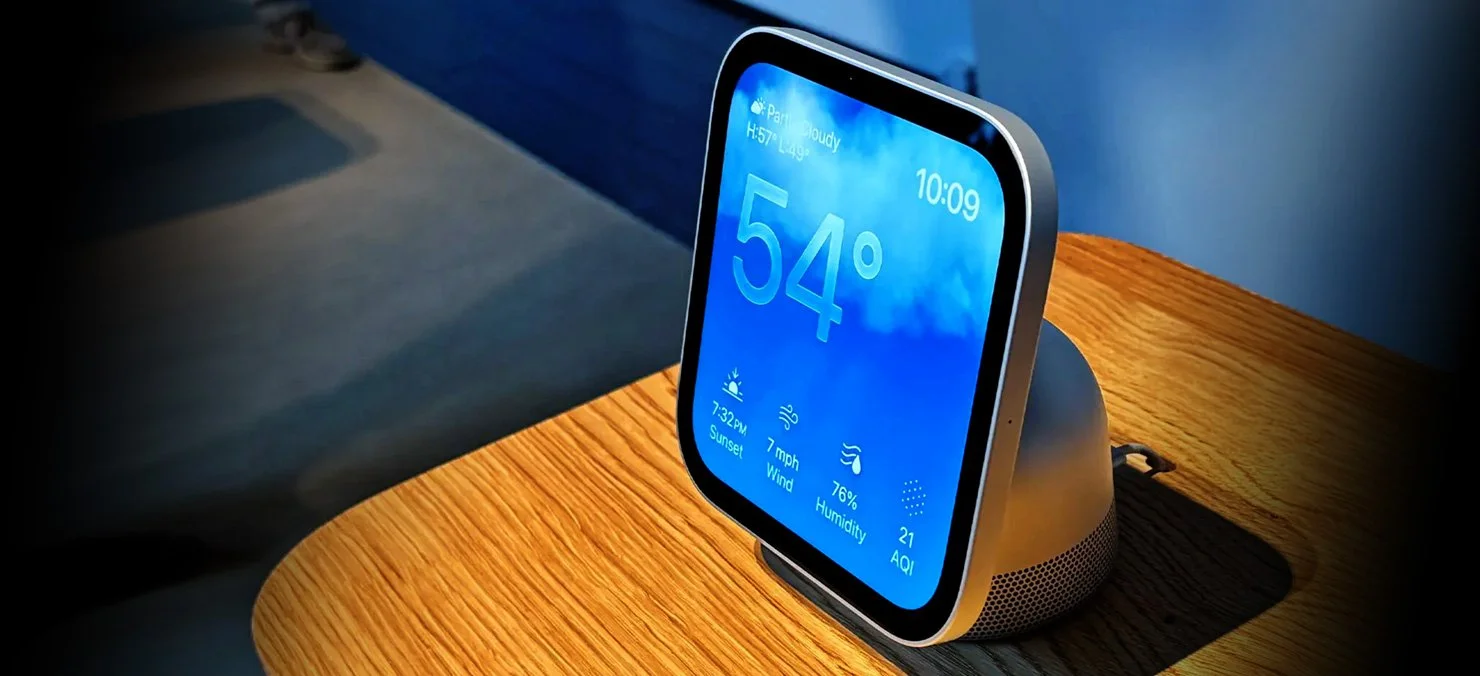
Direct answer: Apple HomeView is a $299 touch screen and speaker that goes on sale November 13, 2026. For a lot of people, it’s their first look at what a smart home can actually do. But a screen can only control what’s already hooked up, and most houses don’t have the connected devices required. The lights, shades, cameras, locks, audio and video are controllable options. The entire control system is dependent on a solid network with good WiFi throughout the house. At EOC we have been automating homes for years. EOC started as an alarm company in 1980 and has evolved into a complete smart home provider around Chicagoland since 2007.
It’s game day. The doorbell rings in the third quarter, and instead of getting up, you check the porch camera on the screen in the kitchen. Then you dim the family room lights and turn the music up on the patio, all without leaving the couch. That’s what Apple’s showing people with HomeView. Here’s the straight story on what it takes.
What does Apple HomeView do?
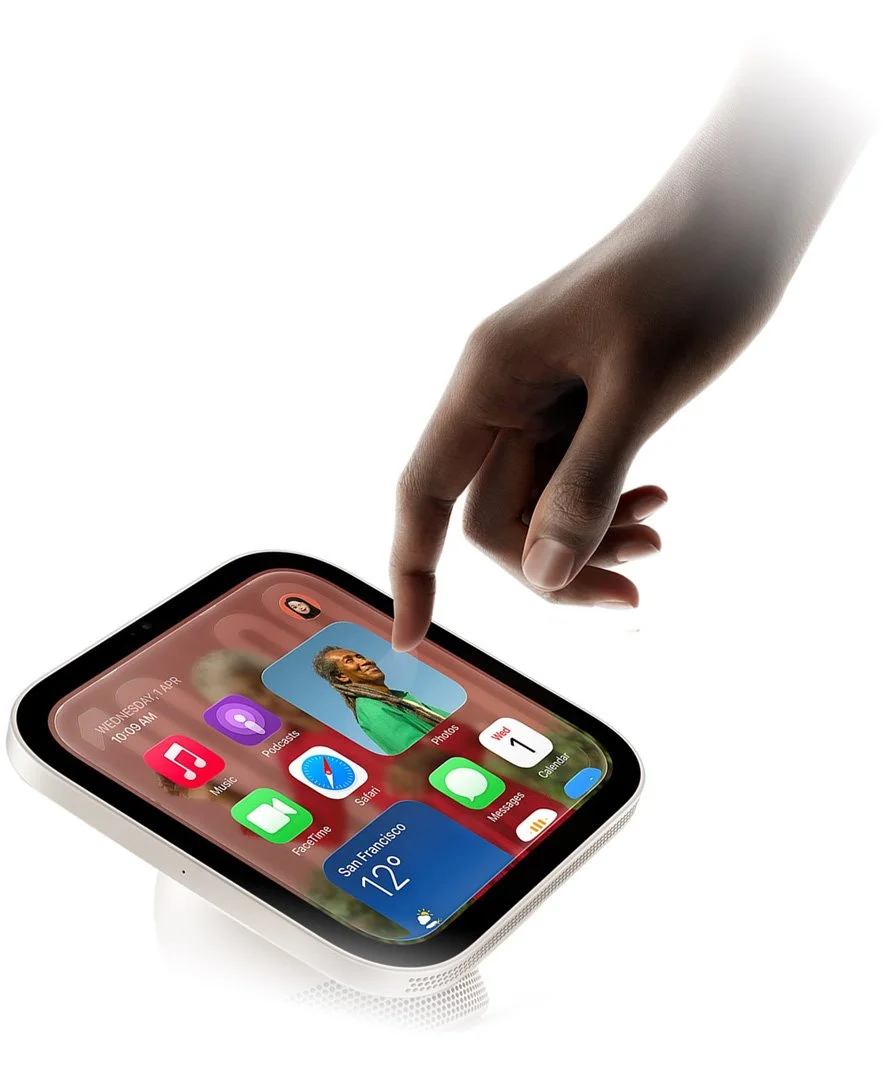
HomeView puts your family’s calendars, photos, Siri and home controls on one 7 inch screen you can see from across the room.
Feature: Face recognition for up to six people
What it means for you:
Everybody gets their own individual automated log in on the home screen, no sign in required
Feature: Home Controls
What it means for you:
Lights, shades, locks and thermostats that are connected to Apple Home
Feature: Up to nine camera feeds at once
What it means for you:
View the entire camera system with a single view, driveway, porch, backyard and any other cameras on one screen
Feature: Alarm sound detection
What it means for you:
Listens for smoke and carbon monoxide alarms

Two versions. Same price.
Tabletop with a speaker base, or wall mounted, both $299
What doesn't HomeView do on its own?
HomeView doesn't make your house smart. It runs what's already connected qualifying smart devices on from a single interface.
Here’s what our Lead Technician at EOC Audio would help you decide.
If you want...
Lights you can dim from the couch
HomeView needs...
Lighting dimmers and switches that set up designed to be controlled
If you want...
Shades that close when the sun hits the TV raise and lower throughout the day based on your design, or at your command
HomeView needs...
Motorized shades designed to be controlled
If you want...
To see who's at the door or what’s going on outside, without getting up
HomeView needs...
Cameras and a video doorbell that are controllable
If you want...
To lock up or turn out the lights throughout the house from a single touch while laying in bed
HomeView needs...
Smart locks and lighting designed to be controlled
If you want...
Music in the kitchen and throughout the house and outdoors.
HomeView needs...
Speakers with amplification designed to be controlled.
If you want...
All of it to respond fast
HomeView needs...
A robust network with great WiFi that covers the whole house
So who designs, installs and services all that?
Experts like the team at EOC.. Home technology integration has been around for a long time. We design it, run the wire, install it and hook it up so it all works together. Making sure it is easy to use and you are totally comfortable with the entire process
Here’s what changed: Apple just made the screen you use simple and familiar. Great. That means we get to focus on what actually makes a house work, everything behind that screen, and keeping it running.
What can a smart home do for your family? Quick list
• Lights come on when you pull in the driveway
• One button at bedtime shuts off sets the desired lighting scene (whatever you choose ) downstairs throughout the house and locks the doors
• Shades are controllable and adjust individually or in groups to the scene you choose with a single touch.
• You see who's at the door without getting up you get up
• Music plays throughout the house and the backyard
• WiFi actually works in the basement, upstairs and in the garage
If you checked any of those, That’s the stuff we do every day and we know what it takes to make it work reliably.
Do I have to do it all at once?
Nope. Start with HomeView and solid WiFi. Add lighting, shades, cameras or audio when you’re ready, one room at a time.
Building or remodeling anywhere in Chicagoland?
Now is the time to run wire, while the walls are open.
Already in an older fully finished house?
There are still ways to take advantage of Smart Home technology, let EOC show you the way. tearing anything up.
Who fixes it when something stops working?
Apple makes the screen. We keep the house behind it running system updated and performing at it’s best.
HomeView makes your smart home easier to use. It doesn't make it any less complicated to program and set up, we take care of that. Your WiFi, lights, shades, cameras and locks come from different companies, and every one of them pushes updates on its own schedule. One update lands, and suddenly the porch light won't show up on the screen.
That's when you want someone to call.
Frequently asked questions
When can I get Apple HomeView?
November 13. Preorders are open now.
How much is it?
$299 for either version. Wall mounts are extra.
Will HomeView make my house smart by itself?
No. It runs the lights, shades, locks and cameras you hook up to it. requires selecting the right devices, proper programming and a robust network for the best performance and reliability.
Is this only for big, fancy houses?
Not from an EOC perspective. One room or the whole house, our team prioritizes every call and makes sure you are totally satisfied upon completion.
Who do I call if something stops working?
EOC, we will figure it all out for you.